
Welcome to NextThere 2.0
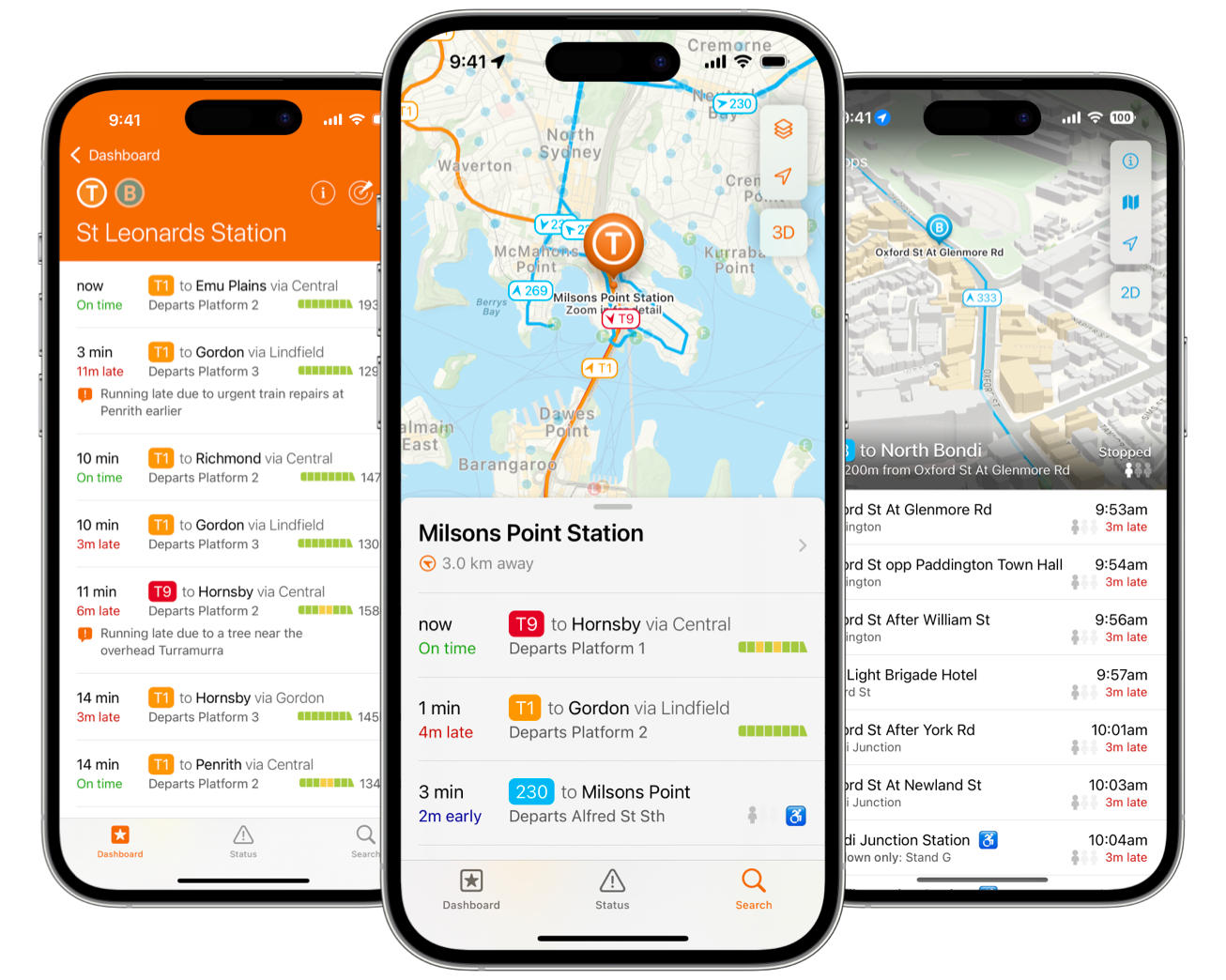
We’ve been hard at work on NextThere 2.0 for over a year now, and it’s finally ready to release into the wild. We’ve given the app a fresh new look, polished and improved the existing features that everyone loves, and introduced some exciting new functions as well. There’s lots to discover – let’s start with something a lot of users have been requesting.
Widgets
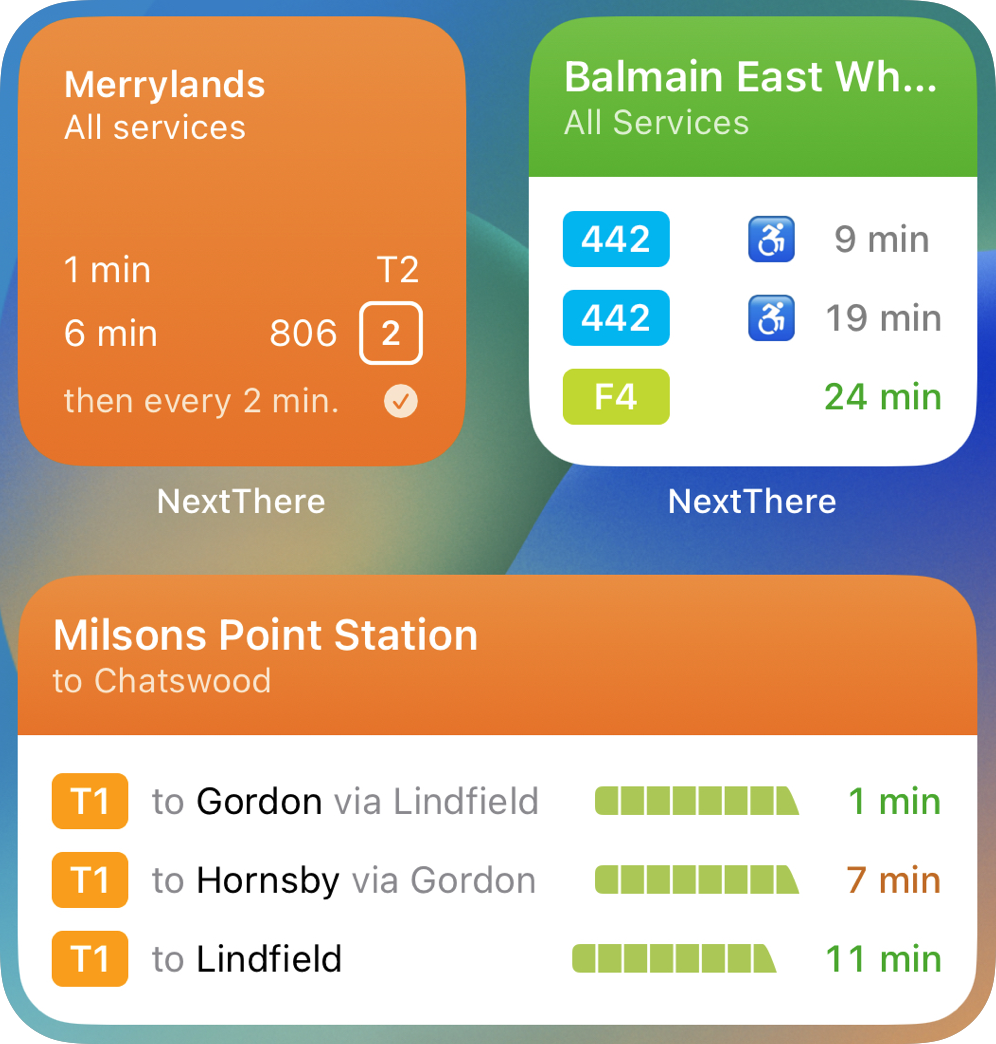
With NextThere 2.0 you can now keep travel top of mind by adding stops to your iOS Lock Screen or Home Screen.
By default, our widget will use your device location to track departures from the saved stop that’s closest to you. Hold down on a widget to customise how this geolocation works. You can also choose from different designs and sizes.
To preserve battery life, our widget’s real-time arrival data is refreshed every 20 minutes. Tap the widget before you travel to go straight to your nearest saved stop and get up-to-date service information.
We’ve got 3 widgets you can add to your Lock Screen:
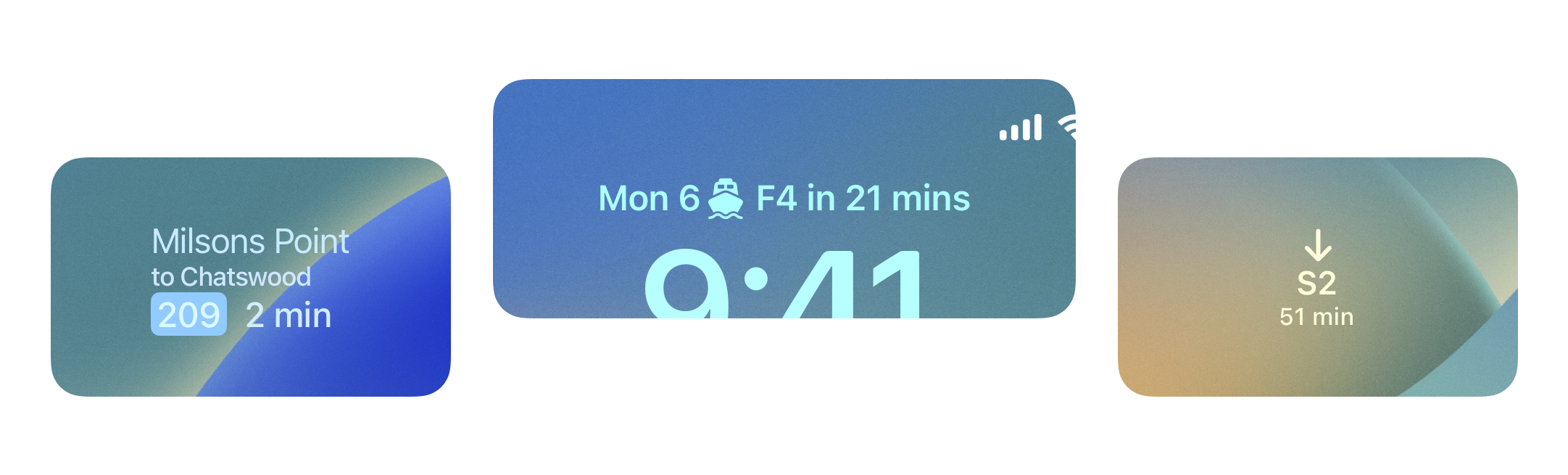
Widgets are available to NextThere Pro subscribers – we hope you love them, and can’t wait to see them on your Home Screen.
A new look
NextThere has a fresh coat of paint! We’ve updated the app to look more at home alongside Apple’s native apps.
On iPhone, you’ll get a new tab bar with quick access to saved stops, alerts, and search. On iPad, you’ll get a new sidebar with quick links to your saved stops, routes, and more.
The new ⭐️ button lets you save stops, routes and transport operators to your dashboard for quick access.
Search
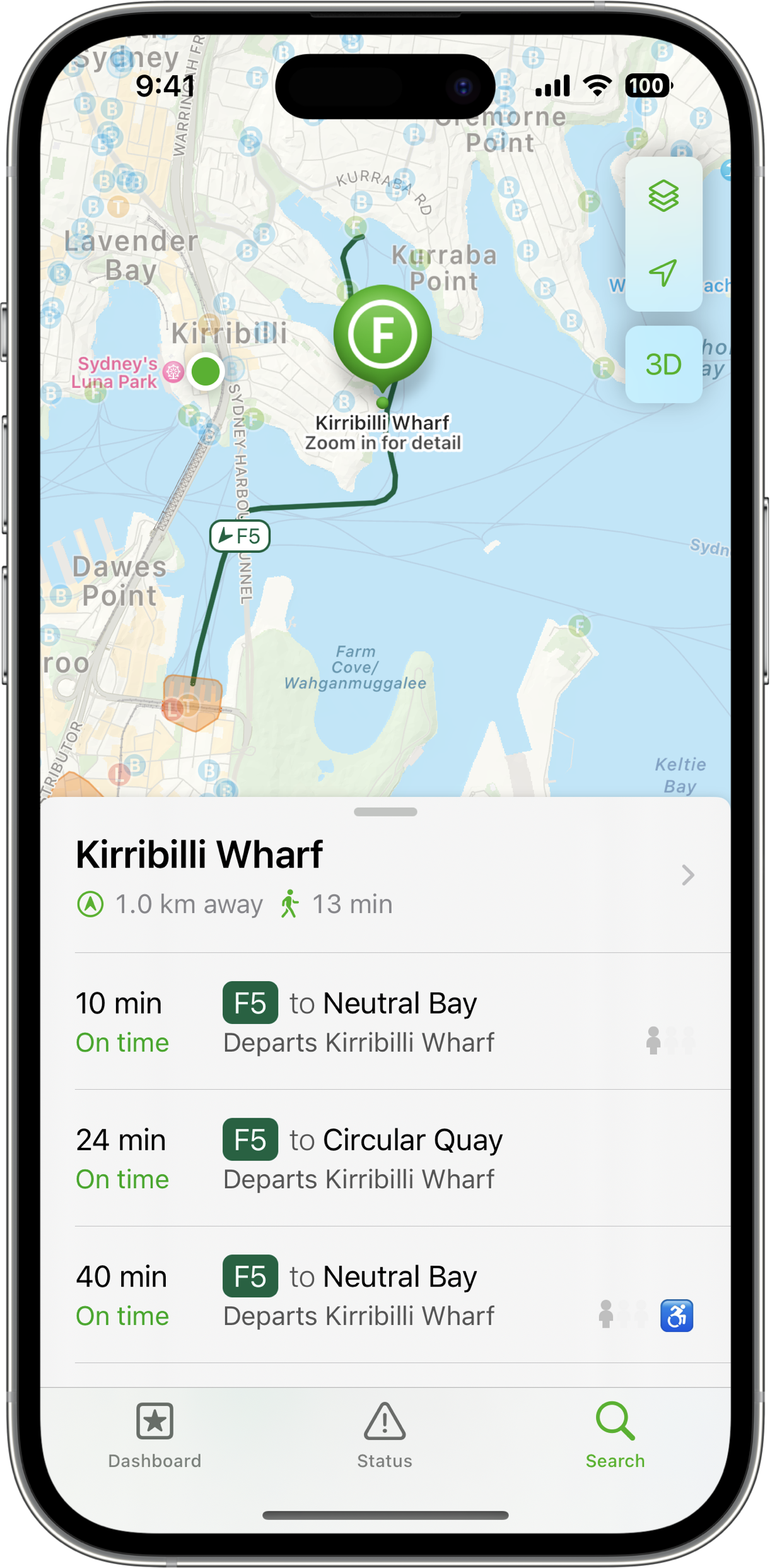
We’ve added a beautiful new interactive map to help you find the stops and transit services you’re looking for.
When you tap on a stop, we’ll also show you the vehicles coming through it on the map, along with the route lines so you can see where each stop takes you. If you prefer a more minimalist map, you can turn those off.
Direction and walking time estimates update live as you move, and the compass updates based on the direction your device is pointing, helping guide you to your stop:

Live 3D tracking
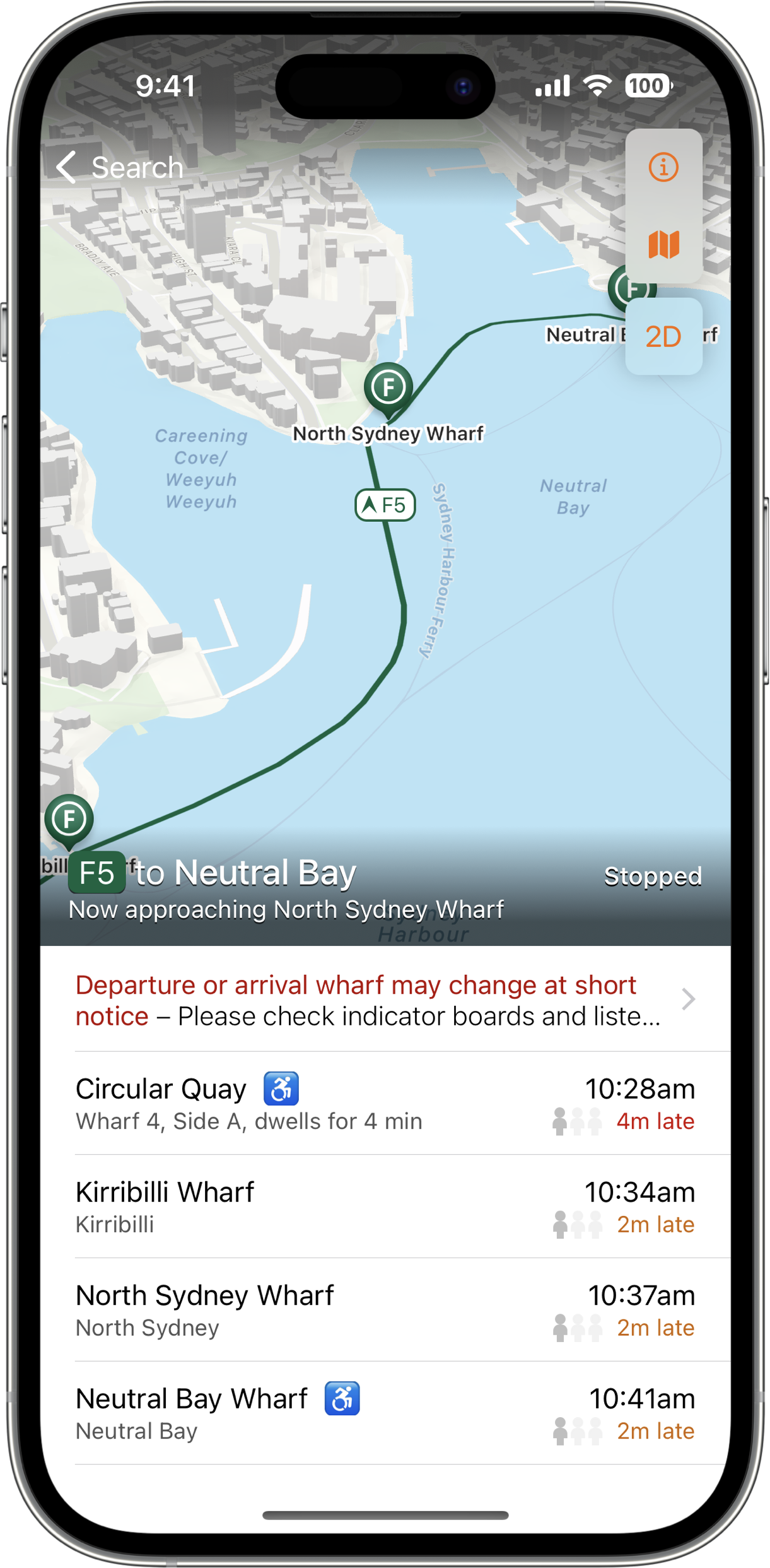
We started working on this before Covid-19, whose arrival made field testing a little difficult! Now we’ve brought it back to life and we’re thrilled to finally share it with customers.
Enabling Live 3D tracking will follow your train, bus, tram or ferry with a virtual flying camera. It combines real-time data from our transport partners with GPS data from your device, turning each corner as you do and giving you a more contextual idea of your location in relation to other landmarks.
We think this will be especially useful when you’re catching a service you’ve never used before, or travelling in an unfamiliar area. Tap the 3D button while you’re next on board a transit service and give it a go!
Stay tuned
That’s it for this update, but we’ve got lots more in the works. Keep an eye on our App Store page, or you can follow our blog, Mastodon or Twitter account to find out what we’re up to!
NextThere is available on iPhone, iPad, Apple Watch and on the web. It covers public transport in Australia, New Zealand and limited US cities. Download it on the App Store.